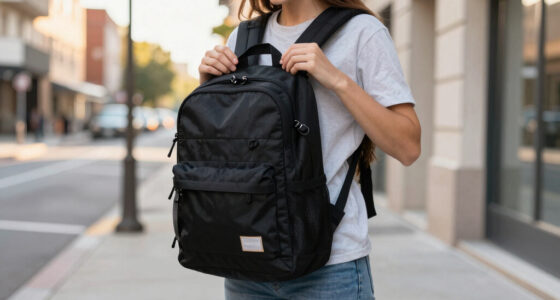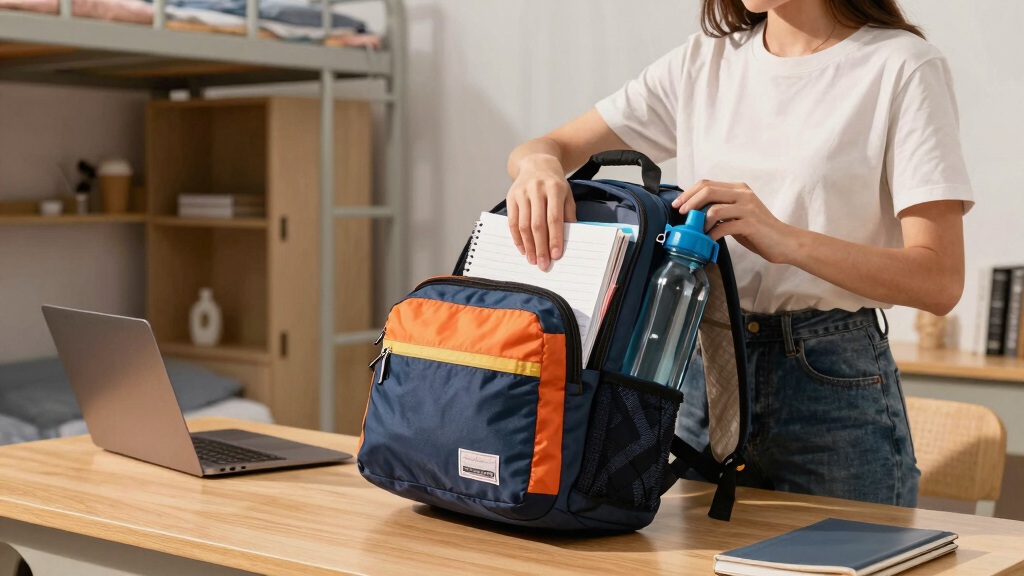
This guide provides clear instructions for students to choose a compact travel backpack that balances size, comfort, and functionality. It covers how to identify features, compare options, and avoid common mistakes, ensuring you select a reliable bag for school and travel. Designed for beginners, this process takes approximately 20-30 minutes and results in a well-informed purchase decision.
Difficulty: Beginner | Time: 20-30 minutes
What You’ll Need
Tools & Materials:
- Measuring tape or ruler
- Pen and paper or digital note-taking device
- Access to online shopping sites or physical stores
Knowledge:
- Basic understanding of backpack features and materials
- Ability to compare product specifications
Have your budget in mind before starting. Prepare a list of your essential needs such as laptop compartment, water bottle holder, and weight limits.

DUSLANG 17 Inch Laptop Backpack for Travel Water Resistant College Backpack for Men/Women Laptop Bag with USB Charging Port,Black
- Large Laptop and Tablet Compartments: Fits 17/15/14/13 inch laptops and 9.7 inch iPad
- Multiple Organized Pockets: Includes pockets for power bank, shaver, pens, keys, socks, gloves, papers, water bottle, umbrella, and cards
- Comfortable Ventilated Design: Multi-panel padded back and breathable shoulder straps
As an affiliate, we earn on qualifying purchases.
As an affiliate, we earn on qualifying purchases.
Before You Start
Ensure you know your main use cases—daily school trips, short travels, or commuting—and measure your typical items like laptop, books, and other essentials to confirm size needs.
Step-by-Step Instructions
Step 1: Determine your size and capacity needs
Measure your essential items such as your laptop, textbooks, and other daily essentials. Choose a backpack with a capacity between 15 to 30 liters to accommodate these items comfortably without excess bulk.
Tip:
Use a measuring tape to record dimensions of your items and compare with backpack specifications to ensure compatibility.
Check:
You have a clear size range that fits your daily items without overloading or excess space.
Step 2: Identify key features important for students
Select backpacks that include a padded laptop compartment, multiple smaller pockets for organization, water bottle holders, and adjustable straps for comfort.
Tip:
Prioritize features based on your daily needs; for example, if you carry a laptop, focus on padded compartments and secure closures.
Check:
You have a feature list tailored to your use, ensuring the backpack meets your practical needs.
Step 3: Set a budget and research options
Decide on a budget range and browse online or visit stores to find backpacks within that price that meet your feature criteria.
Tip:
Read reviews and check ratings to gauge durability and user satisfaction before shortlisting options.
Check:
You have a list of 3-5 backpacks that fit your budget and feature needs.
Step 4: Compare materials and build quality
Check the material composition—look for durable, water-resistant fabrics like nylon or polyester—and assess the quality of zippers, stitching, and straps.
Tip:
Look for reinforced stitching and quality hardware to ensure longevity.
Check:
You have identified backpacks with sturdy materials and construction that can withstand daily use.
Step 5: Try the backpacks for comfort and fit
If shopping in-store, wear the backpack and adjust straps to evaluate comfort and weight distribution. For online purchases, review the adjustable features and weight ratings.
Tip:
Ensure the backpack fits your torso length and that shoulder straps are padded and adjustable.
Check:
The backpack feels comfortable, balanced, and adjustable to your body size.
Step 6: Check for warranty and return policies
Review warranty details and return policies before purchasing to ensure support if issues arise.
Tip:
Prefer brands that offer at least a one-year warranty for durability concerns.
Check:
You have confirmed policies that protect your purchase and provide peace of mind.
Common Mistakes to Avoid
- Choosing a backpack that is too large or too small — Measure your items first and select a size that comfortably fits without excess space or overstuffing.
- Ignoring comfort features — Test the fit and padding of straps, and ensure the weight distribution is even when trying in-store.
- Overlooking material quality — Inspect fabric, zippers, and stitching to avoid bags that wear out quickly.
Troubleshooting
Problem: Backpack feels uncomfortable after a short period of wear
Solution: Adjust straps for better fit, and choose backpacks with padded straps and ergonomic design.
Problem: Zippers or seams break quickly
Solution: Select backpacks with high-quality hardware and reinforced stitching, and avoid cheaper options.
Problem: The bag doesn’t fit my items despite measurements
Solution: Reassess item sizes and consider slightly larger capacity backpacks or different configurations.
What Success Looks Like
The selected backpack fits all your essential items comfortably, feels sturdy, and offers adjustable, padded straps for comfort. It should meet your size, feature, and budget requirements, and pass comfort and durability checks.
Next Steps
After purchase, organize your items efficiently, periodically check for wear, and clean the backpack as recommended. Re-evaluate your needs annually or when your items change to consider a different size or features.
Frequently Asked Questions
How do I know if a backpack is the right size for me?
Measure your typical items, especially your laptop and books. Choose a backpack with a capacity that comfortably fits these items with some space for extras, but not so large that it becomes bulky or hard to carry.
What materials are best for durability and water resistance?
Look for backpacks made of nylon or polyester with water-resistant coatings. Reinforced stitching and quality hardware also contribute to durability.
Can I find affordable yet durable backpacks?
Yes, many brands offer budget-friendly options with good durability. Focus on quality features like sturdy zippers and reinforced seams rather than just price.
How do I maintain my backpack for longevity?
Clean the backpack regularly following manufacturer instructions, avoid overloading, and store it in a dry place to prevent mold and damage.