
TL;DR

Get travel and outdoor gear delivered free with Prime
- Fast, free delivery on millions of items
- Prime Video, Amazon Music and more included
- Member-only deals all year
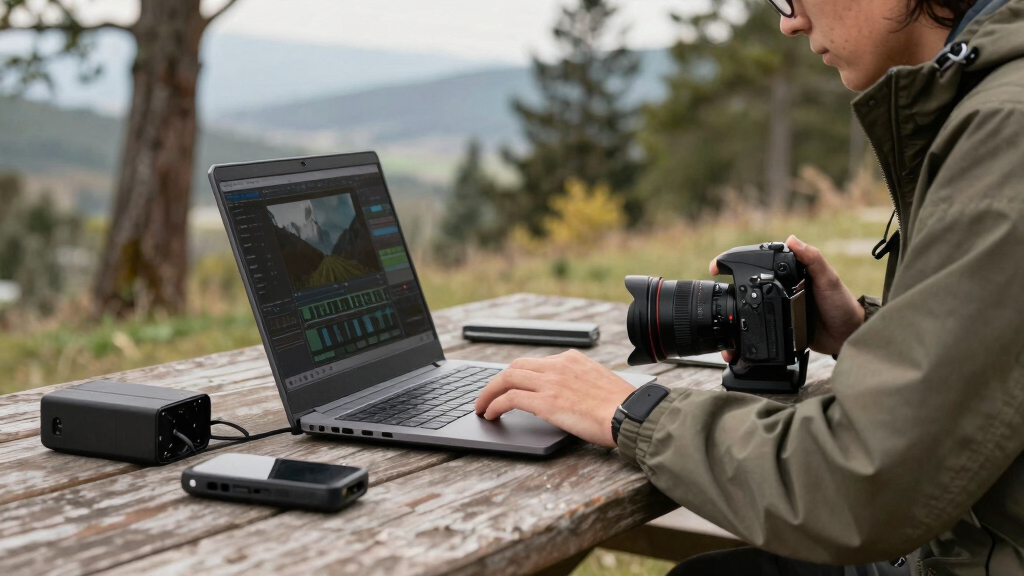
A single video can now generate an entire content package—transcripts, clips, metadata, thumbnails, and ready-to-publish assets—using local AI tools. This approach offers better control, privacy, and lower costs by avoiding cloud dependencies.
Imagine finishing a video and having an army of assets ready for every platform—without uploading a single file to the cloud. Sounds like a dream? It’s becoming reality thanks to advancements in local AI processing. Today’s creator tools can analyze your raw footage, extract meaningful snippets, generate captions, craft thumbnails, and prepare everything for distribution—all on your own hardware.
This shift isn’t just about convenience. It’s about reclaiming control over your content, safeguarding sensitive footage, and cutting expenses. No more monthly cloud fees or data leaks. You’ll see how a single video transforms into an entire publishing kit, all while keeping your footage in-house. Ready to see how it works? Let’s break down the power of one video in, a whole publishing kit out — without the cloud.
Key Takeaways
- A single video can generate a complete set of publish-ready assets—transcripts, clips, thumbnails, metadata—using local AI tools.
- Local-first processing enhances privacy, control, and reduces ongoing costs by avoiding cloud subscriptions.
- Recent hardware advancements make on-device AI analysis practical for long videos, live streams, and batch processing.
- A streamlined workflow from drop to publish takes minutes, not hours, with transparent provenance for every asset.
- This approach suits creators, marketers, and educators who prioritize speed, security, and ownership.
Products Worth Considering

GoPro Hero12 Black Waterproof Action Camera with 5.3K60 Video and 27MP Photos

DJI Osmo Pocket 4 Gimbal Camera Pro Kit, 18-Piece Bundle

Travelpro Maxlite 5 Softside Underseat Carry-On, Black, 15-Inch
As an affiliate, we earn on qualifying purchases.
What Does ‘One Video In’ Really Mean? How a Single File Becomes a Content Army
Starting with one recorded video, modern tools can produce dozens of assets—transcripts, clips, thumbnails, metadata, and more. For example, imagine filming a 20-minute webinar. Instantly, you get a full transcript, bite-sized clips for social, SEO-optimized descriptions, and eye-catching thumbnails— all automatically generated.
These outputs aren’t random. They’re crafted by AI that understands your video’s flow, key moments, and main themes. This understanding allows you to repurpose content more efficiently, saving considerable time and effort. Instead of manually editing and creating each asset separately, you’re leveraging AI’s ability to interpret context and significance, which is crucial for maintaining quality and relevance across platforms. This process empowers creators to focus on content strategy rather than tedious production tasks, but it also raises questions about how well AI can interpret nuance and whether it might miss subtle details that a human would catch. The tradeoff is speed and scale for some loss of human touch, but ongoing improvements in AI understanding are narrowing this gap significantly.

Why Going Local Matters: Control, Privacy, and No More Hidden Fees
Choosing local-first tools means your videos and data stay on your hardware. No uploading to third-party servers, no risk of data breaches. This is a game-changer for sensitive content—think corporate videos, educational material, or personal footage.
Plus, recent tech like UniFi’s AI Key proves that powerful local AI is now a reality. These on-device processors analyze footage, generate metadata, and even create content summaries without monthly subscriptions or cloud fees [1][3].
But why does this matter beyond privacy? Local processing reduces latency, allowing for real-time editing and instant feedback, which is especially important during live recordings or rapid content iteration. It also mitigates dependency on internet stability—if your connection drops, your workflow continues seamlessly. However, there are tradeoffs: local AI often requires more powerful hardware and a steeper initial setup compared to cloud services, which are more flexible but less private. This means upfront investment and some technical know-how but pays off in long-term control, security, and cost savings. As hardware becomes more affordable and user-friendly, more creators are recognizing that the benefits of local processing outweigh the initial hurdles, especially when dealing with sensitive or proprietary content.

What Exactly Gets Created? From Captions to Clips — Here’s the Full List
From a single video, the system produces a rich set of assets, including content packages.
- Captions and transcripts: Accurate, speaker-aware captions that boost SEO and accessibility. These are generated through speech recognition models tuned for accuracy, and their quality directly impacts viewer engagement and discoverability. High-quality captions also make your content accessible to a wider audience, including those with hearing impairments, which can be a legal or ethical requirement. The tradeoff here is balancing speed with precision—more advanced models provide better accuracy but may require more processing power.
- Short clips: Highlights for TikTok, Reels, Shorts—automatically cut from key moments. These clips enable rapid repurposing of content for different platforms, increasing reach without extra effort. The challenge is ensuring the selected clips truly represent the core message or entertainment value, which AI must interpret correctly. This capability allows creators to capitalize on trends and maximize engagement with minimal manual editing.
- Metadata: Tags, descriptions, and chapters that improve discoverability. Proper metadata is crucial for search algorithms and user navigation, but it’s often overlooked or manually tedious. Automated generation based on AI understanding of content helps maintain consistency and relevance, though it may sometimes miss nuanced context that a human would catch. This tradeoff emphasizes the importance of review and refinement in the workflow.
- Thumbnails: Eye-catching images pulled from the video’s most engaging scenes. Thumbnails significantly influence click-through rates, so AI-generated options need to balance visual appeal with representativeness. Some tools allow customization post-generation, providing a compromise between automation and human input.
- Summaries and articles: Blog drafts or newsletter blurbs based on the content. These assets help repurpose videos into written formats, expanding reach and engagement. AI summarization relies on understanding the main themes, but it can sometimes oversimplify or omit details. Human oversight ensures quality and accuracy, making this an iterative process rather than a fully autonomous one.
- Exports for platforms: Ready-to-upload files formatted for each social network or website. Proper formatting ensures compliance with platform specifications and optimizes presentation. The tradeoff involves ensuring compatibility and quality across diverse formats, which may require additional manual adjustments or validation steps.
Imagine a YouTube video that, after processing, also delivers Instagram reels, a blog draft, and a newsletter snippet—all prepared in minutes. This integration of assets not only accelerates publishing but also enhances consistency and branding across channels, making content management more streamlined and less error-prone.

The Market Shift: On-Device AI and All-in-One Hardware for Creators
Recent innovations make local processing more practical than ever. Devices like UniFi’s AI Key show how powerful AI can run directly on a dedicated chip—no cloud needed. These appliances combine routing, storage, and video analysis into a single box, simplifying setup and reducing costs.
According to recent reports, on-device AI sales are growing fast—by 30% in 2025 alone—driven by the need for privacy and faster workflows [3]. This growth reflects a broader industry shift towards decentralizing AI processing, enabling more creators to execute complex tasks without relying on cloud infrastructure.
Such hardware makes it feasible for creators to handle long-form videos, live streams, or hundreds of clips without depending on cloud services. This not only speeds up production cycles but also opens new possibilities for real-time editing, immediate feedback, and secure content management. The tradeoffs involve initial hardware costs and potential complexity in setup, but these are offset by the gains in speed, control, and privacy. As these devices become more user-friendly and affordable, they democratize access to high-level AI processing, empowering a wider range of creators to produce professional-quality content locally.

Turning a Single Video into a Content Powerhouse — How the Workflow Looks
Here’s a step-by-step example of how you turn one recording into a publishing kit:
- Drop the video or paste a link: The system detects the source and prepares to analyze.
- Automatic understanding: AI transcribes, detects scenes, and fuses data into a timeline. This step is crucial because it sets the foundation for all subsequent assets. The better the AI understands the video’s structure, the more accurate and relevant the outputs will be. Real-time transcription and scene detection enable rapid iteration, but they also depend on hardware capabilities and model sophistication. The implications are significant: faster turnaround times, more precise asset generation, and the ability to handle complex or lengthy videos without manual segmentation.
- Asset draft generation: Titles, descriptions, clips, and thumbnails are created based on key moments. These drafts serve as starting points, which you can refine. Accurate initial generation reduces manual editing time and ensures consistency across assets. The tradeoff is that AI-generated drafts may sometimes lack nuance or context, requiring human oversight to ensure alignment with your message.
- Review in the dedicated studio: You see all assets organized, make edits, regenerate if needed. This step provides control and transparency, allowing you to fine-tune outputs and ensure quality before publishing. The ability to regenerate assets on-demand offers flexibility, but it also means you need to invest time in review—highlighting the importance of a streamlined, intuitive interface.
- Approve and publish: Assets go directly to your channels, or are ready for upload. This final step consolidates control, enabling you to publish with confidence. The immediate availability of assets across multiple platforms accelerates content distribution, helping you stay relevant and responsive to trends.
This workflow compresses what used to take hours into minutes, all while keeping everything local and under your control. The implications include increased productivity, improved content quality, and enhanced security—making local AI-powered workflows a compelling choice for serious creators.

The Power of a Publishing Package: One Source, Many Destinations
The core idea is that from a single video, you generate a comprehensive package of assets—ready for multiple platforms. This includes:
| Asset Type | Purpose | Example |
|---|---|---|
| Titles & Descriptions | Grab attention, optimize search | “5 Quick Tips for Better Sleep” |
| Clips & Shorts | Engage audiences on TikTok, Reels, Shorts | Highlight moment of the speaker’s punchline |
| Thumbnails | Catch eyes, increase clicks | Bright, expressive frame from the video |
| Transcripts & Metadata | Improve SEO, accessibility | Accurate captions, searchable tags |
This integrated approach means you can publish to multiple channels simultaneously with consistent branding and messaging. It reduces manual effort, minimizes errors, and ensures that every asset aligns perfectly with your original content. The ability to generate a full suite of assets from one source is transformative, enabling rapid deployment and testing across platforms, which is vital in today’s fast-paced digital environment.

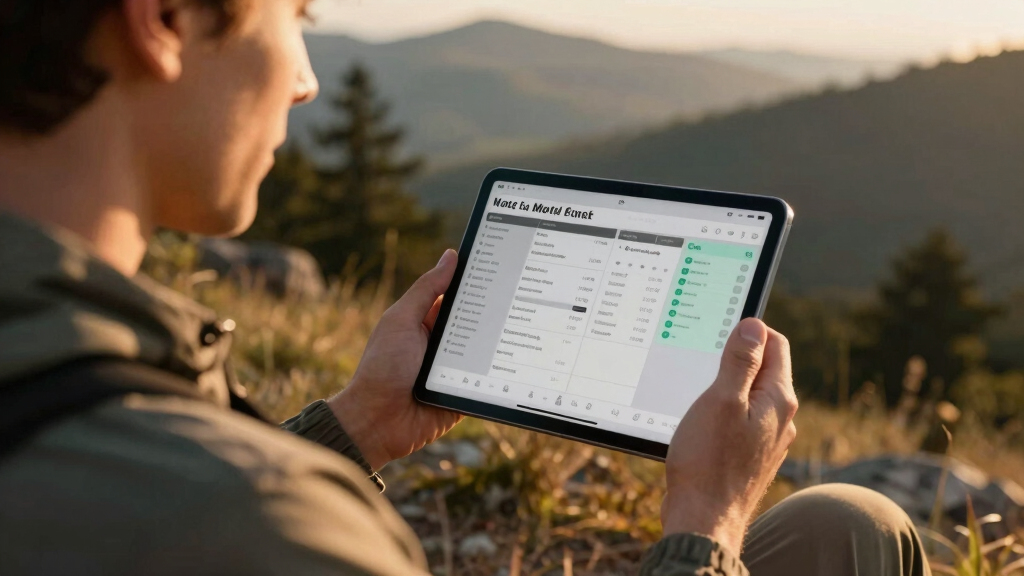
Review and Approve: Your Workflow Control Panel
The review interface is designed for speed and precision. It offers three layouts:
- Console: The main dashboard with a timeline, assets, and approval buttons.
- Editor: Deep dive into individual assets, compare versions side-by-side.
- Atlas: Visual overview of progress across all platforms and assets.
Every asset is tagged with provenance data—details about how it was generated, which model, and what prompts were used. This transparency helps you trust what’s being published and refine your templates over time. It also allows you to identify potential issues, such as inconsistent branding or inaccuracies, enabling quick corrections and ensuring quality control. Over time, this transparency builds a knowledge base that improves the AI’s performance and your confidence in automated assets. The ability to review, compare, and track assets comprehensively turns your workflow into a strategic tool for maintaining brand integrity and content quality.
What You Need to Make It Work — Hardware and Setup Tips
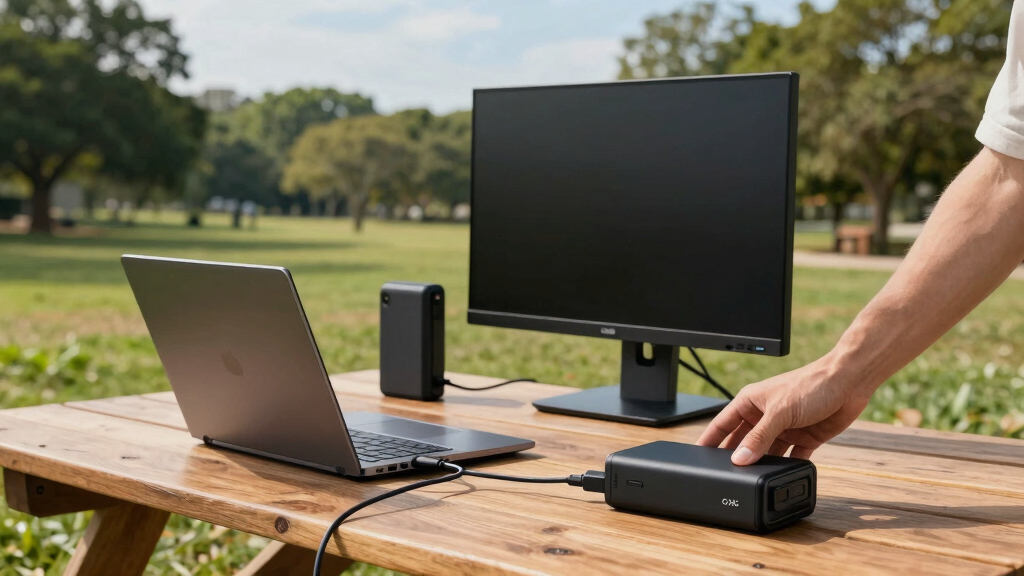
To get the full benefit of local-first video tools, you’ll need hardware that can handle AI processing—think a high-performance PC, a dedicated AI appliance like UniFi’s hardware, or a powerful workstation.
For example, a recent setup might include a machine with a GPU like an RTX 4090, plenty of RAM, and SSD storage. This configuration allows for smooth processing of 4K footage, rapid asset generation, and near-instant publishing without relying on internet connectivity. The hardware choice directly impacts processing speed, the complexity of projects you can handle, and overall workflow efficiency. Investing in scalable, upgradeable hardware ensures future-proofing, so as AI models evolve and content demands grow, your system remains capable. Software like [ChannelHelm](https://channelhelm.com/) simplifies setup, guiding you through configuring local environments and integrating necessary tools, reducing the technical barrier and enabling you to start producing quickly.
Who Benefits Most? Creators, Marketers, and Educators — Oh My!
Anyone needing to publish videos quickly and securely can benefit. Content creators who want control over their data and lower costs love the local approach. Marketers appreciate the speed and ability to tailor assets for every channel instantly.
Educators and corporate trainers also find value—especially when privacy matters. Handling sensitive or proprietary content becomes safer, and turnaround times shrink dramatically. For example, a small team producing dozens of videos weekly can turn each into a full media package—saving hours and avoiding subscription headaches. The benefits extend beyond individual productivity: organizations can ensure consistent branding, maintain compliance with privacy standards, and respond more swiftly to content opportunities. However, it’s important to recognize that initial hardware investment and learning curve may be barriers for some. Still, the long-term gains in security, cost savings, and creative freedom make this a compelling proposition for forward-thinking creators and organizations.
Frequently Asked Questions
What exactly gets created from one video?
From one video, you can get transcripts, captions, short clips, thumbnails, metadata, and even article drafts—each designed for specific platforms and purposes, all generated automatically.
How is this different from normal video editing software?
Traditional editing tools focus on cutting and arranging footage. These newer systems analyze your entire video to generate assets like metadata, clips, and descriptions automatically, often running locally to protect your data.
What parts run locally, and what parts still require cloud services?
Most core analysis—transcription, scene detection, metadata generation—can run on your hardware. Some advanced AI models or large-scale distribution may still use cloud services, but the trend is toward full local processing.
Does it work for long-form videos or livestreams?
Yes, recent hardware makes processing long videos and even live streams feasible. On-device AI can analyze hours of footage, breaking it into meaningful clips and metadata in real-time or batch mode.
How much does it cost compared with cloud-based tools?
Initial hardware investments can be significant, but ongoing costs drop dramatically since you avoid monthly SaaS fees. Over time, local tools tend to be cheaper and more predictable.
Conclusion
Reclaim your content and skip the cloud clutter. With local AI tools, one video becomes a full publishing kit—faster, safer, and more in your control than ever before. Imagine the possibilities when your raw footage transforms into a multi-platform media empire—all on your own hardware.
Are you ready to ditch the cloud and embrace a smarter, more private way to publish? The future of content creation is local, fast, and fully in your hands.