
Pilots love basic weather apps that deliver accurate, real-time data and reliable reports, allowing quick decision-making. Features like up-to-date satellite imagery, thorough METARs, and alerts help you stay ahead of changing conditions. User-friendly interfaces with intuitive navigation make it easy to access critical info fast. Reliable wind, visibility, and storm tracking ensure safety while flying. Keep exploring to discover which app fits your flight needs and enhances your planning.
Key Takeaways
- Accurate, real-time weather data and reliable reports ensure pilots can make quick, informed decisions.
- Key features like radar imagery, METARs, and TAFs support comprehensive flight planning and safety.
- User-friendly interfaces with intuitive navigation reduce errors and improve situational awareness.
- Fast access to weather updates and customizable alerts keep pilots informed of critical changes instantly.
- Seamless integration with aviation data and privacy policies enhance safety, reliability, and user trust.
The Importance of Real-Time Weather Data

Real-time weather data is essential because it provides you with the most up-to-date information necessary for making quick decisions. Satellite imagery plays a vital role by offering detailed visuals of weather systems and environmental changes around the globe. This technology helps you track storm development, cloud movement, and other atmospheric conditions with precision. Understanding climate change impacts through real-time data allows you to anticipate extreme weather events and prepare accordingly. When you access current satellite imagery, you gain insights into long-term climate trends and their effects on local weather patterns. Staying informed with real-time updates ensures you can respond promptly, enhancing safety and efficiency in your flights. Accurate, timely weather data is your best tool for charting an increasingly unpredictable climate landscape, and color accuracy significantly influences how clearly this information is displayed on your devices.
Top Features Pilots Seek in Weather Apps

When choosing a weather app for flying, you want features that provide clear, accurate, and easy-to-understand information on the go. Pilots prioritize tools that enhance pilot training and improve weather forecasting accuracy. Key features include real-time updates, detailed radar imagery, and reliable wind and visibility data. These elements ensure you can make informed decisions quickly. Additionally, look for apps that offer customizable alerts for changing conditions, helping you stay ahead of potential hazards. A good weather app should also include easy access to METARs and TAFs, essential for flight planning. When your safety depends on precise weather information, these features help you fly confidently and efficiently. Ultimately, the right weather app supports your training, enhances forecast reliability, and keeps you prepared for any weather challenge. Incorporating security zone info can also help pilots understand potential safety risks in different flying environments.
Skybrary: Comprehensive Weather and Flight Information
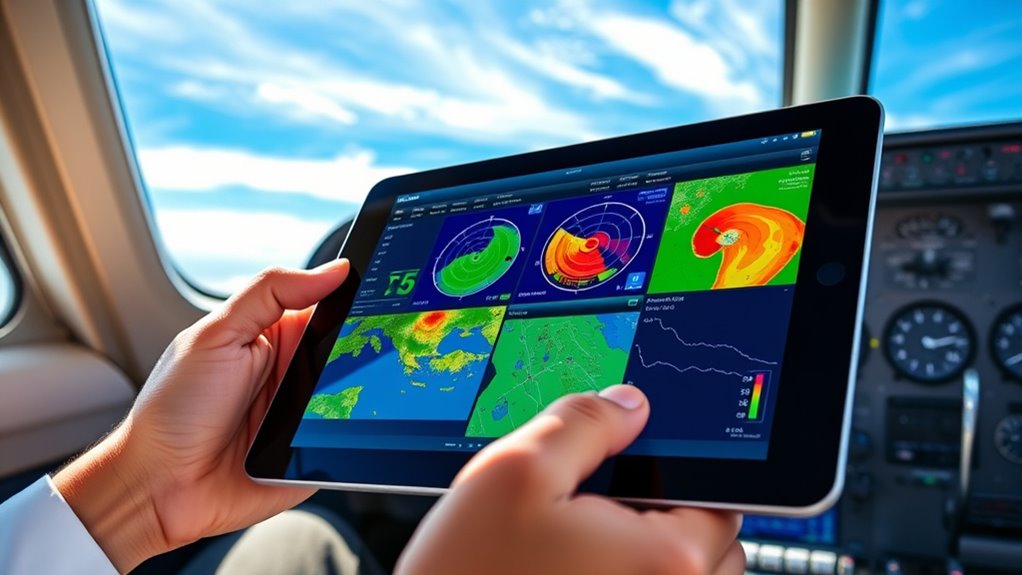
Skybrary offers all-in-one flight data that keeps you informed about weather and flight details in real-time. Its user-friendly interface makes maneuvering complex information easy and efficient. With these features, you can make confident decisions quickly, even in changing conditions. Incorporating space optimization techniques can further enhance your ability to stay organized and prepared during flights.
All-in-One Flight Data
All-in-one flight data apps integrate thorough weather and flight information to help you make informed decisions quickly. These apps combine real-time weather alerts, temperature trends, and flight status updates, giving you a complete overview. With instant access to:
- Up-to-date weather alerts for sudden changes
- Temperature trends to anticipate climate shifts
- Flight data for route planning and adjustments
You can respond swiftly to changing conditions and maintain safety. These tools eliminate the need to switch between multiple sources, streamlining your workflow. By providing exhaustive data in one place, they empower you to analyze current conditions and forecast future trends efficiently. This integration ensures you’re always prepared, whether dealing with unexpected weather or adjusting your flight plan on the fly. Additionally, understanding the influence of wave and wind patterns on weather conditions can enhance your situational awareness during flight planning and in-flight decision-making.
User-Friendly Interface
A well-designed user interface makes accessing complex weather and flight data straightforward and efficient. When your app is intuitive, you can quickly find critical information, ensuring pilot safety. Clear visuals, simple navigation, and organized layouts help you interpret weather accuracy and flight conditions without confusion. An easy-to-use interface minimizes errors caused by misreading data, allowing you to make timely decisions. By reducing the time spent searching for information, you stay focused on safety and efficiency. The best weather apps prioritize user experience, ensuring that essential data is accessible at a glance. Incorporating farmhouse-style decor into your interface design can enhance visual appeal and user comfort, making the experience more engaging. This streamlined approach keeps you informed, confident, and prepared for any flying conditions, ultimately supporting safer flights and improved pilot safety.
AeroWeather: Reliable METAR and TAF Reports

When it comes to reliable weather data, AeroWeather stands out by providing accurate METAR and TAF reports that pilots trust. Its detailed reports help you understand current weather patterns, guaranteeing safe flight planning. AeroWeather emphasizes data accuracy, so you can rely on the information for vital decisions. The app offers:
AeroWeather provides trusted, accurate METAR and TAF reports for safe, informed flight planning.
- Up-to-date METAR and TAF reports from numerous airports
- Precise weather data for immediate and long-term planning
- Clear summaries that highlight significant weather changes
- Research trending genres to ensure your reports stay relevant and engaging
This focus on data accuracy ensures you aren’t caught off guard by sudden weather shifts. AeroWeather consolidates essential weather info, making it a dependable tool for pilots who prioritize safety and precision in their navigation. Trusting this app helps you stay ahead of weather challenges, no matter where you fly.
Weather Mate: User-Friendly Interface for Quick Updates

Weather Mate’s clean visual design makes it easy to find the information you need quickly. Its intuitive navigation tools let you access updates without frustration, saving you time. Fast data access guarantees you stay informed, even when conditions change suddenly. Additionally, integrating market trend insights can help users anticipate weather-related impacts on outdoor activities.
Clear Visual Design
Weather Mate’s clean and straightforward visual design makes it easy to understand at a glance. It leverages strong color contrast to highlight essential information, ensuring you can quickly identify conditions without confusion. Icon clarity is a priority, with simple, recognizable symbols that convey weather updates instantly. This design reduces cognitive load and helps you focus on what matters most. Costume ideas include themed costumes inspired by popular culture and literature, making it fun and easy to find the perfect look for Halloween. Key features include:
- Bright, contrasting colors for temperature, precipitation, and wind
- Clear, easily distinguishable icons for weather conditions
- Minimal clutter, emphasizing critical data without distraction
This visual approach streamlines your experience, letting you grasp the forecast immediately. Whether checking for quick updates or detailed info, Weather Mate’s visual design keeps everything accessible and straightforward, perfect for pilots on the go.
Intuitive Navigation Tools
Thanks to its intuitive navigation tools, Weather Mate makes accessing critical updates quick and effortless. You can easily switch between screens using simple gesture controls, like swipe and pinch, minimizing distractions. The app also prioritizes weather alerts, displaying them prominently so you stay informed. Its layout ensures you find information fast, with clear icons and minimal clutter. Here’s how the navigation is structured:
| Gesture Controls | Weather Alerts | Quick Access |
|---|---|---|
| Swipe left/right | Push notifications | Tap icons for details |
| Pinch to zoom | Banner alerts | Menu shortcuts |
| Tap to select | Urgent updates | Home button |
This design keeps you focused and confident, enabling swift updates without confusion. Additionally, the app’s privacy and cookie usage ensure your data preferences are respected while providing a seamless experience.
Fast Data Access
With its streamlined interface, Weather Mate guarantees you can access the latest updates instantly. You get quick insights through real-time data, including satellite imagery that shows current weather patterns and cloud cover. The app also offers easy access to historical climate data, helping you understand trends over time. Additionally, the app emphasizes data accuracy, ensuring that the information you receive is reliable and up-to-date. To maximize speed, Weather Mate focuses on:
- Instant updates from satellite imagery, so you see weather changes as they happen
- Rapid retrieval of historical climate data for context
- Simplified navigation that avoids delays in finding critical information
This focus on fast data access assures you stay informed without wasting time. Whether you’re checking current storms or reviewing past weather patterns, Weather Mate delivers the info swiftly and efficiently, keeping you prepared at all times.
ForeFlight: Integration and Advanced Planning Tools

ForeFlight’s integration and advanced planning tools considerably enhance your flying experience by streamlining pre-flight preparations and in-flight decision-making. These features improve pilot safety by providing real-time weather updates, NOTAMs, and airspace information, all accessible within a single platform. The app’s seamless equipment compatibility ensures you can connect easily with your aircraft’s avionics, reducing setup time and potential errors. Its thorough flight planning tools allow you to analyze routes, calculate fuel needs, and review alternate airports efficiently. By integrating charts, terrain, and weather data, ForeFlight helps you make informed decisions swiftly. This cohesive system minimizes distractions, boosts confidence, and promotes safety, making it an essential tool for pilots who want reliable, integrated advanced planning at their fingertips.
Windy: Visualizing Wind and Cloud Cover

Windy excels at providing clear, real-time visualizations of wind patterns and cloud cover, enabling you to assess weather conditions at a glance. The app’s intuitive interface displays dynamic wind patterns, helping you anticipate gusts and turbulence. Its cloud visualization feature offers detailed imagery of cloud cover, aiding in flight planning and safety. You’ll notice:
- Accurate wind pattern animations for precise navigation
- Interactive cloud visualization layers for better situational awareness
- Customizable overlays to focus on specific weather features
These tools give you an all-encompassing view of current conditions, making it easier to adjust your flight plan accordingly. Windy’s real-time updates ensure you stay informed about changing weather, reducing surprises and improving safety during your flight.
Aviation Weather Center (AWC): Official Government Data

The Aviation Weather Center (AWC) provides authoritative, real-time weather data specifically tailored for aviation safety and planning. You can access detailed weather radar images that show current precipitation, storm activity, and movement, helping you make informed decisions during flights. The AWC also offers up-to-date temperature trends, giving you insights into temperature changes at various altitudes and locations, which are vital for flight planning and safety. Their data is official government information, ensuring accuracy and reliability. By consulting the AWC, you get a thorough view of current weather conditions, including radar imagery and temperature shifts, enabling you to anticipate weather challenges and plan routes accordingly. This trusted resource supports safer, more efficient flying by providing critical weather intelligence.
Choosing the Right App for Your Flight Needs

With access to official government weather data from sources like the Aviation Weather Center, choosing the right app becomes a matter of matching features to your specific flight needs. Consider how weather app customization can help you filter data, set alerts, or display information most relevant to your route. Look for apps that include pilot training tools to improve your skills and decision-making. Focus on these aspects:
- Customizable weather layers for detailed forecasts
- Integrated pilot training features for skill development
- Alerts and notifications tailored to your flight plan
Frequently Asked Questions
How Do Weather Apps Improve Flight Safety?
Weather apps improve flight safety by providing real-time meteorological data, helping you anticipate and avoid hazardous conditions. They support pilot training by offering detailed weather insights, enhancing decision-making skills. With accurate forecasts, you can plan routes more effectively, reducing risks from storms or turbulence. These apps give you essential information at your fingertips, ensuring safer flights and better preparedness in ever-changing weather situations.
Are Weather Apps Suitable for Beginner Pilots?
You might think weather apps are enough for beginner pilots, but they aren’t a magic solution. While pilot training emphasizes understanding weather, these apps have limitations that can mislead you. Relying solely on them could jeopardize safety. Use weather apps as a helpful tool, but always cross-check with official forecasts and your training. Never underestimate nature’s power, and remember, technology is just one part of safe flying.
Can Weather Apps Predict Severe Weather Conditions Accurately?
You might wonder if weather apps can predict severe conditions accurately. While they use satellite imagery and storm tracking data to give alerts, their predictions aren’t foolproof. They can often identify approaching severe weather, but rapid changes or small-scale phenomena might not be captured. Always double-check with official sources and stay alert for updates, especially when flying in unpredictable weather environments.
Do Weather Apps Cover International Flight Routes?
You’ll find that most weather apps offer limited international coverage, which can impact your route planning for flights. While some apps include global weather data, many focus mainly on domestic routes. If you’re planning international travel, it’s essential to select an app with thorough global weather info. This guarantees you’re well-prepared for any weather changes along your route and can make informed decisions during your flights.
How Frequently Should Pilots Update Weather Information During a Flight?
Did you know that pilots update weather information every 5 to 15 minutes? During a flight, you should rely on real-time updates to guarantee forecast accuracy. This frequent updating helps you respond quickly to changing conditions, improving safety and efficiency. Staying current with weather data allows you to make informed decisions, avoid hazards, and navigate smoothly across international routes, where weather can shift rapidly.
Conclusion
With over 90% of pilots relying on weather apps for safe flying, choosing the right one is vital. Whether you prioritize real-time updates, detailed forecasts, or easy usability, there’s a perfect app for you. Remember, staying informed can reduce weather-related delays and hazards. So, explore these top options and select the app that best supports your flying style—because accurate weather info isn’t just helpful; it’s essential for your safety.